Every week, G2G picks the vocab you're struggling with most and turns it into a 5–10 minute Word Deep Dive — two hosts riff on register, etymology, real-world usage, and common pitfalls. Listen on your commute, then drill into any card with one tap. Backed by news-grounded daily articles, OCR capture, memes, native-speaker clips, and spaced repetition.
Free on the App Store.
Most learners save words into flashcard apps and never see them again outside of a quiz. The words die in isolation — disconnected from the moment of curiosity that drove the save, never re-encountered in real prose, never reinforced enough to stick.
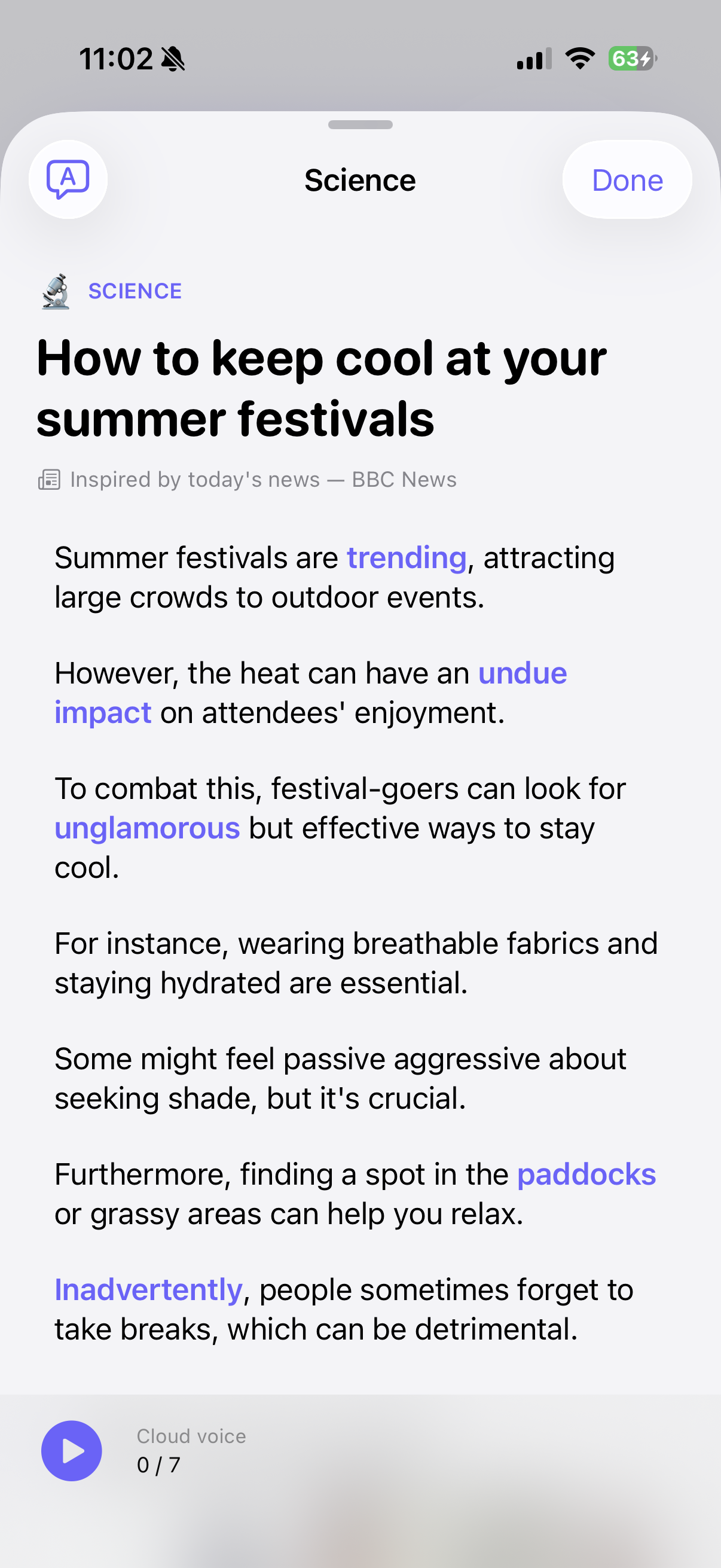
Every morning, G2G generates a short news article in your target language seeded by a real headline (BBC, The Guardian), threading the words you're due to review into the prose. You read; you tap unfamiliar phrases; you review the cards with visual memory hooks and clips of native speakers using them. The "good to great" loop.
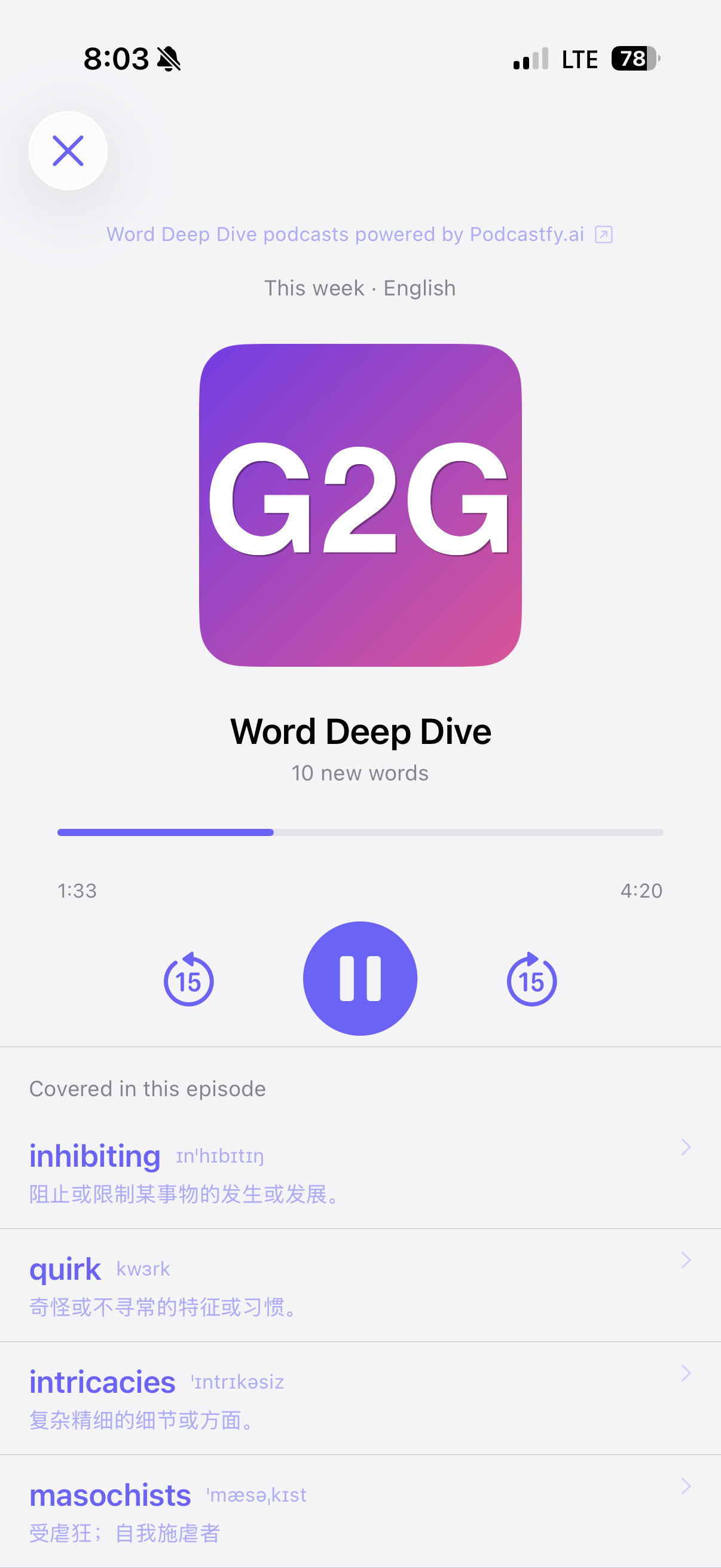
Every week, G2G picks the words you're struggling with most (lowest FSRS retention) and generates a 5–10 minute podcast: two hosts riff on each word's register, etymology, common pitfalls, and real-world usage scraped from the web. Listen on your commute, then drill into any card with one tap. Powered by Podcastfy.ai.
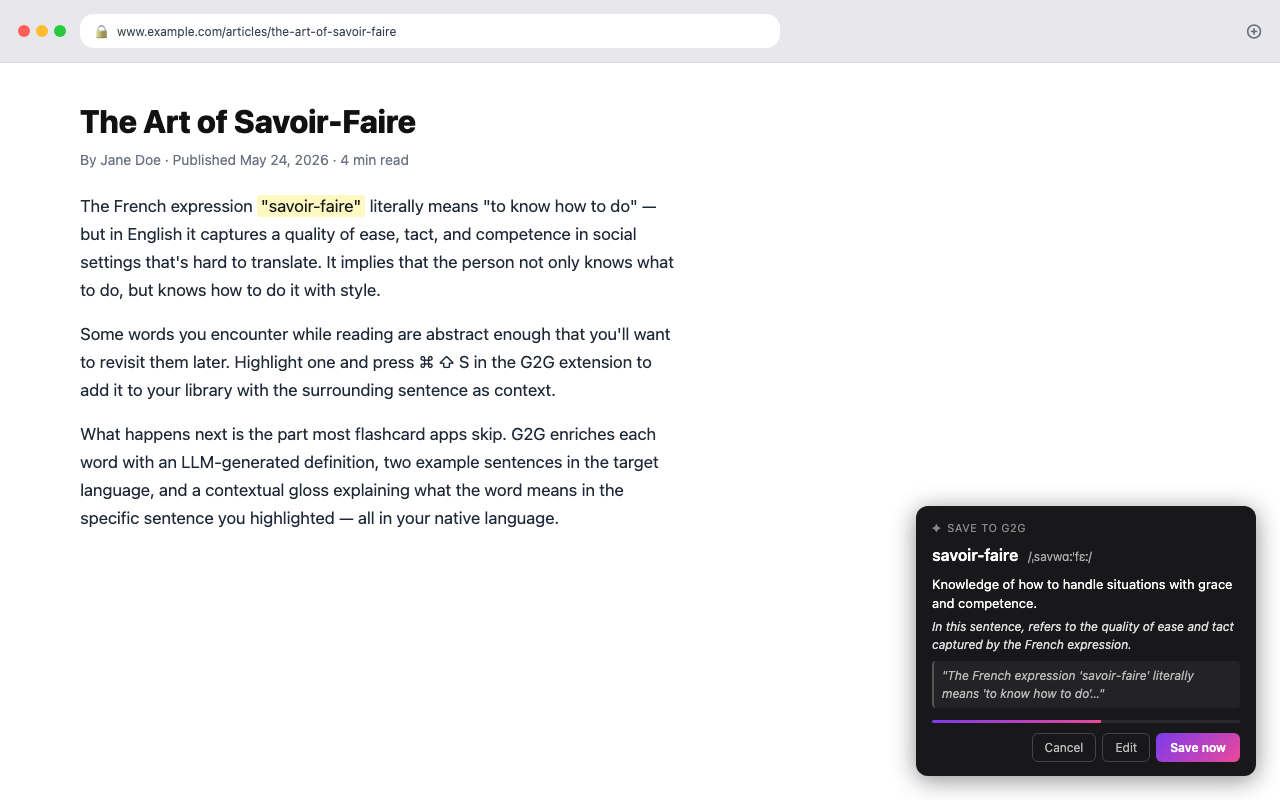
Highlight any word on any web page, press ⌘ ⇧ S, and G2G fetches a definition, examples, phonetic transcription, and a contextual gloss in ~2 seconds — surfaced as an editable preview with an 8-second countdown before auto-save. The "wow" moment that separates G2G from every other Save Word extension.
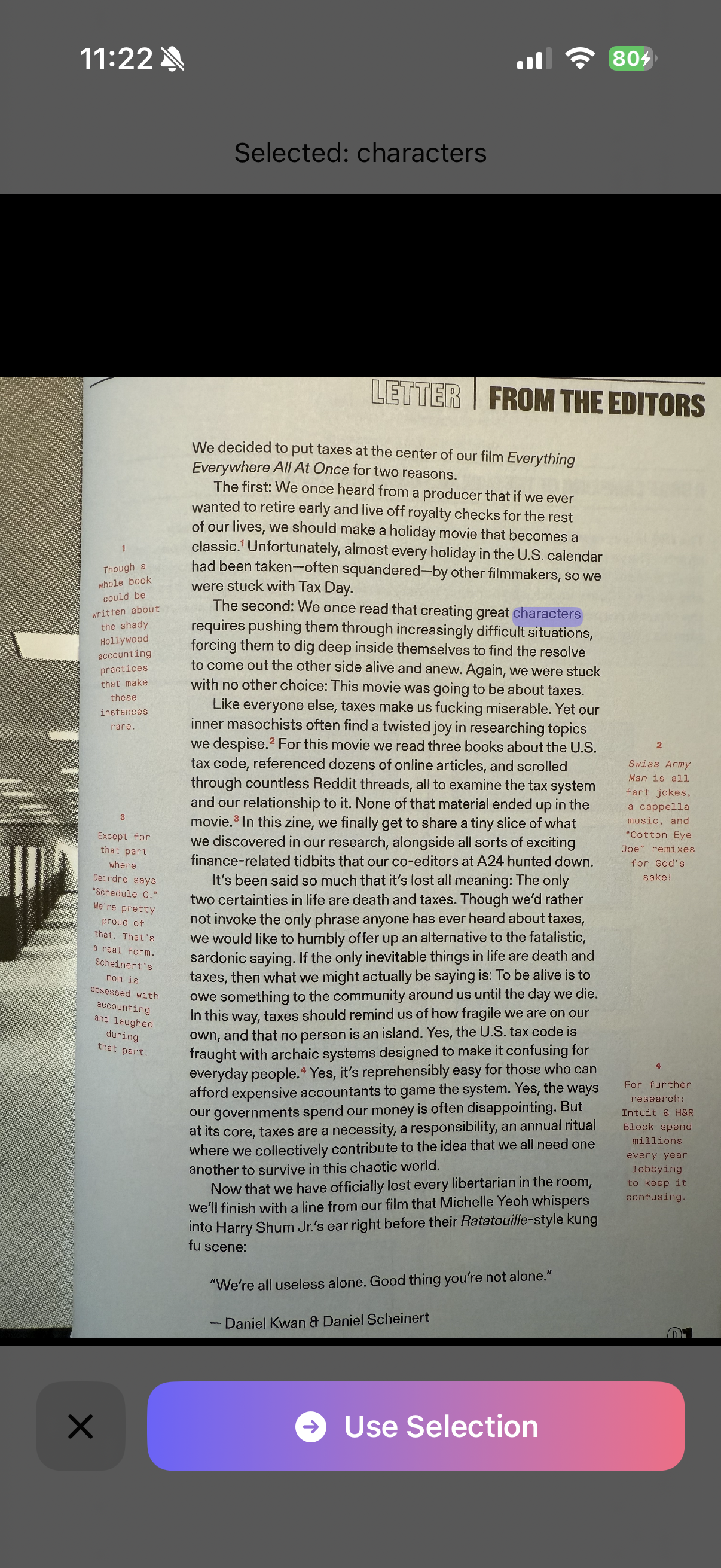
Camera or photo-library OCR. Vision detects every word on the page; you tap to select a phrase, and the surrounding sentence becomes context automatically. Capture from books, signage, screenshots — the world isn't just a browser tab.
Every morning, an LLM writes you a short article in your target language seeded by a real BBC or Guardian headline, threading the words you're due to review into the prose. Sentence-by-sentence translation, audio narration, tap-to-define. Your words live in news, not in flashcards.
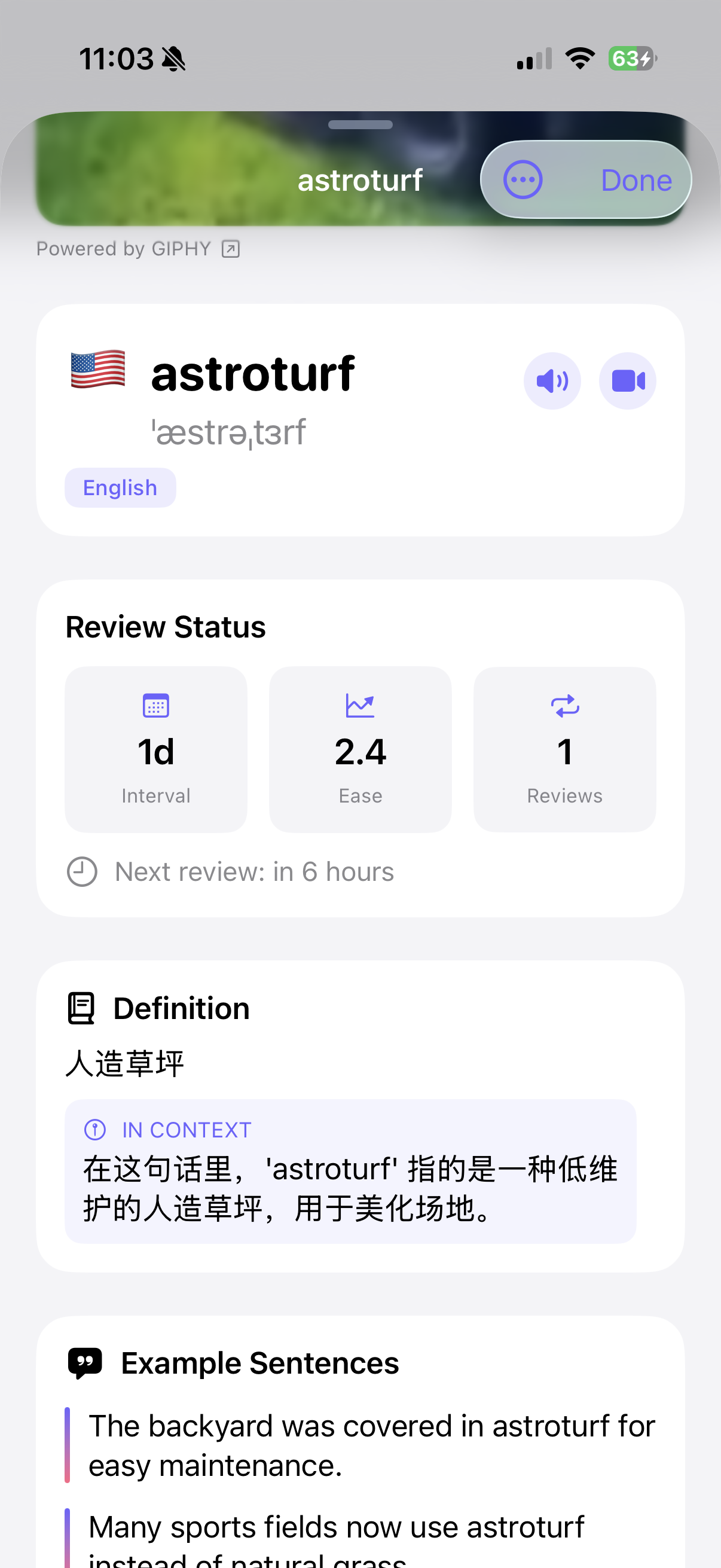
An LLM-picked GIF gives every card a visual memory hook, and a one-tap YouGlish player lets you hear real YouTube speakers say the word in context. Multi-modal reinforcement that's hard to replicate with another stack of flashcards.
A 5–10 minute Word Deep Dive episode every week, focused on the words you're forgetting fastest. Two hosts riff on register, etymology, and real-world usage.
Daily articles are seeded by real BBC / Guardian headlines — current events, not LLM hallucinations.
English, Spanish, French, German, Italian, Portuguese, Russian, Arabic, Chinese (Simplified + Traditional), Japanese, Korean.
Reviews scheduled when you're about to forget, with ±10% jitter so they don't all stack at midnight.
Snap a photo of a printed page or sign; tap any recognized word to add it to your library.
Every card gets a looping meme GIF picked by an LLM for relevance, not the first Giphy hit.
Tap a button on any card to open YouGlish — short clips of native speakers actually saying the word in real YouTube videos.